Personalize your digital instrument cluster and infotainment system for a truly unique driving experience.
Yes, you can transform your car's digital dashboard by installing custom themes and modifying display elements. This guide will walk you through the various options available in 2026, from manufacturer-approved settings and advanced car dashboard customization software to innovative aftermarket solutions, all while prioritizing safety and legality for U.S. drivers.
The Digital Dashboard Revolution: Built-in vs. Third-Party Personalization
Car dashboard customization involves altering the visual presentation of your digital instrument cluster and infotainment screen. This trend allows drivers to infuse their personality into their vehicle's interior, making the driving experience more engaging and tailored. Generally, customization falls into two main categories: manufacturer-provided options and third-party solutions.
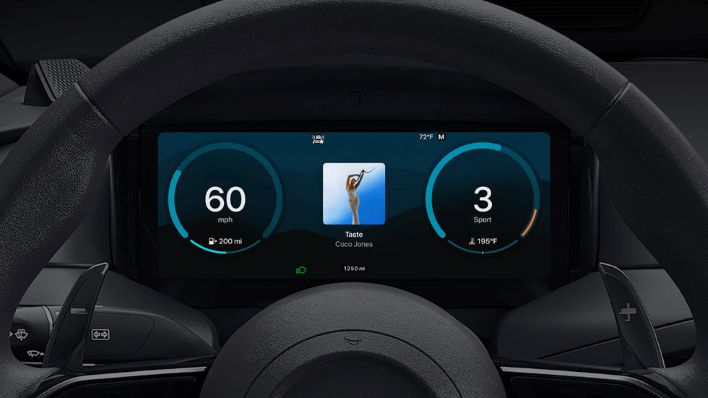
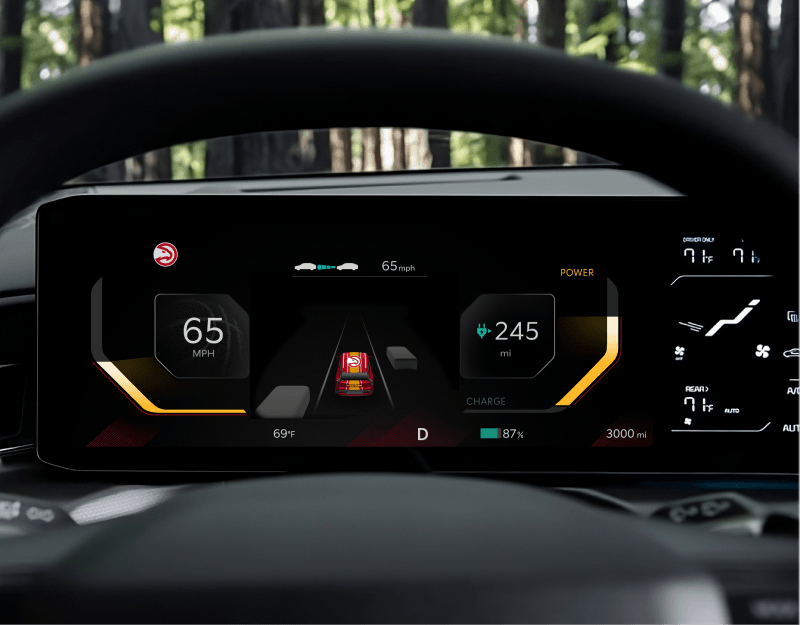
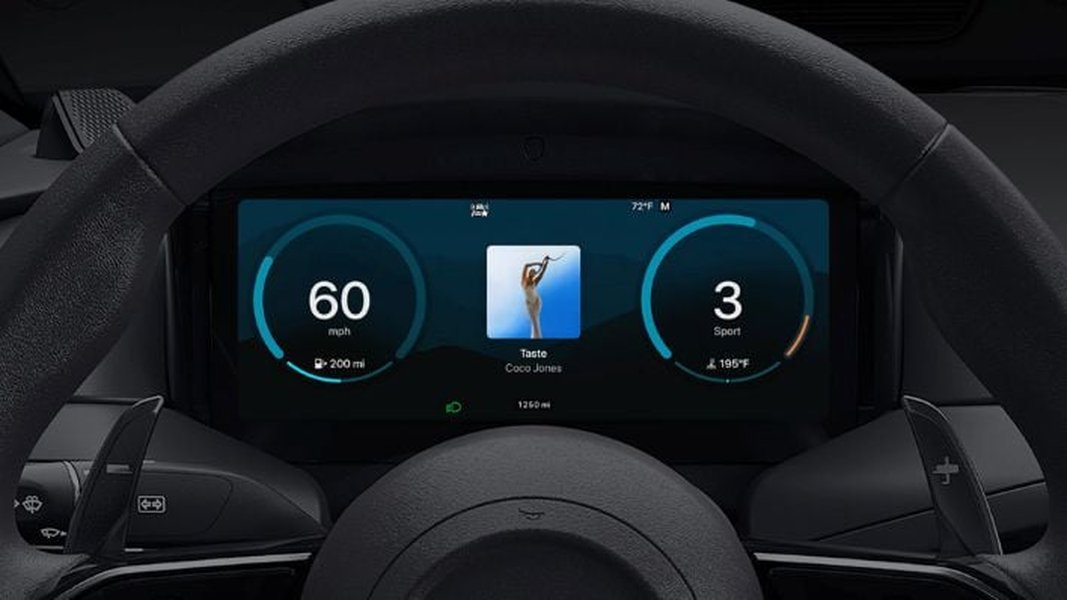
Built-in customization refers to features directly integrated by the car manufacturer. These typically include different display themes, color schemes, gauge styles, and information layouts accessible through your vehicle's infotainment system. These options are rigorously tested for safety and compliance with driving regulations, ensuring that critical information remains clear and undiluted. Brands like Hyundai, Kia, Mercedes-Benz, BMW, and Tesla are leading the charge in offering robust native customization.
Third-party modifications, on the other hand, extend personalization beyond factory settings. This can involve dedicated apps for Android Automotive vehicles, aftermarket hardware replacements, or even smartphone-based solutions utilizing OBD-II data. While third-party options offer a broader spectrum of creativity, they demand careful consideration regarding compatibility, potential warranty implications, and, most importantly, road safety.
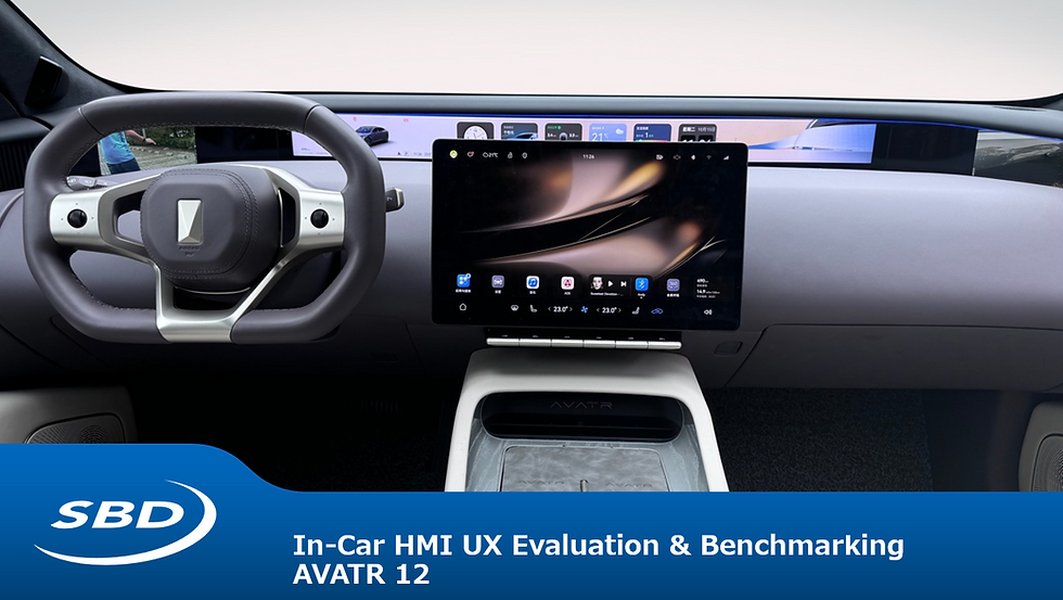
An example of a highly customizable in-vehicle Human-Machine Interface (HMI).
Which Car Brands Natively Support Dynamic Dashboard Theme Changes?
Many contemporary vehicles, particularly those from popular U.S. market brands, offer integrated options for personalizing your digital instrument cluster and infotainment displays. The extent of customization often varies by brand, model, and model year.
Tesla: Pioneering Digital Instrument Cluster Personalization
Tesla vehicles are renowned for their expansive, central touchscreens that serve as the primary human-machine interface (HMI). While the core user interface design remains consistent, recent software updates for models like the 2026 Tesla Model Y Juniper allow for selection of different dashboard screen sizes, influencing the layout and presentation of information. Drivers can customize elements such as navigation views, media players, and vehicle statistics, with a focus on dynamic, real-time data display and intuitive control. Tesla's approach often involves over-the-air (OTA) updates that introduce new theme options and functionalities.
BMW & Mercedes-Benz: Tailoring Your Luxury Driving Experience
Both BMW and Mercedes-Benz provide robust customization options for their sophisticated digital instrument clusters. In a Mercedes-Benz, for instance, you can use the left-side touch control pad on the steering wheel to access a customization menu within the instrument cluster. This allows for selecting diverse display styles (e.g., Sport, Classic, Discreet), altering colors, and configuring widgets to show various driving data or media information. BMW offers similar flexibility, enabling drivers to personalize their gauge clusters and infotainment layouts to match their preferences and driving modes (e.g., Focused/Reduced/Sport).
Hyundai & Kia: Expanding Theme Options and Official Stores
Hyundai and Kia have emerged as leaders in providing official theme stores for their infotainment systems. For example, the 2026 Hyundai models enable drivers to adjust the instrument cluster theme by navigating to Setup > Cluster/Head-Up Display > Cluster > Cluster Theme Selection. Kia owners can purchase exclusive themes, such as FIFA World Cup 2026™ Display Themes, through the Kia Connect Store, applying them via Setup > Screen Layout > Display Theme settings. This makes changing your car dashboard display to a preferred visual style straightforward and accessible.
General Motors (Chevrolet, GMC) & Volkswagen: Streamlined Customization
GM vehicles, including popular Chevrolet and GMC models, offer various display customization options through their infotainment systems. Drivers can set up quick-access shortcuts, simplify screens, and control brightness. Creating a driver profile is often the initial step for Chevrolet infotainment system customization, allowing the system to remember personal settings. Volkswagen's Digital Cockpit Pro also provides several cluster views and configurable information panes, though themes are typically curated and not open-skin.
Android Automotive OS: A Gateway to Expanded Customization Through Apps
Vehicles running the native Android Automotive operating system (not to be confused with Android Auto), such as models from Polestar, Volvo, General Motors, and Ford, offer significantly expanded customization possibilities through the Google Play Store. This platform integrates deeply with the car's hardware, allowing apps to run directly on the vehicle's infotainment screen.
For these vehicles, you can download specialized apps like AutoZen-Car Dashboard&Launcher or other dashboard customization apps directly to your car's infotainment system. These apps can provide alternative interfaces, widgets, and visual themes that go beyond what the manufacturer initially provides. The OS itself enforces compliance with Driver Distraction Guidelines (DDG), limiting UI complexity while driving to ensure safety. This makes Android Automotive a robust platform for digital cluster customization software, with a growing ecosystem of in-car apps.
Step-by-Step Guide: How to Change Your Car Dashboard Display Themes
The process for modifying your car's dashboard theme varies depending on your vehicle's specific capabilities. Here's a general guide for different customization scenarios:
For Vehicles with Built-in Theme Stores or Settings:
- Park Safely: Ensure your vehicle is parked in a safe location with the parking brake engaged.
- Access Settings: Navigate to your infotainment system's "Setup," "Settings," or "System" menu, often represented by a gear icon.
- Locate Display Options: Look for options such as "Display," "Cluster," "Head-Up Display," "Screen Layout," or "Themes."
- Browse and Select: Explore the available themes, gauge styles, color schemes, or layouts.
- Apply Theme: Select your preferred theme and confirm the change. The system may require a moment to apply the new theme.
- Save Profile (if applicable): If your vehicle supports driver profiles, save the changes to ensure they persist.
Important Note: Always consult your vehicle's owner's manual for precise instructions, as menu names and options can differ even between models from the same manufacturer. Keeping your vehicle's software up to date is crucial, as new themes and features are often introduced with updates.
For Android Automotive Vehicles (Center Display):
- Open Google Play Store: Access the in-car Google Play Store from your vehicle's infotainment system.
- Search for Apps: Look for well-rated dashboard widgets, car launchers, or media apps that offer alternative interfaces.
- Install and Configure: Install your chosen app, grant necessary permissions, and configure its settings to your preference.
- Integrate Widgets: Pin app tiles or widgets to your home screen layout if supported by your vehicle's HMI.
Using Apple CarPlay and Android Auto (Mirror Your Phone Safely):
- Connect Your Phone: Connect your iPhone or Android phone via USB or wirelessly, as supported by your car.
- Customize on Phone: Personalize your CarPlay/Android Auto home screens and wallpaper directly on your phone.
- Utilize Compatible Apps: Use compatible dashboard-style apps designed for in-car use, available through the U.S. App Store or Google Play.
Aftermarket Digital Cluster Replacement Options: Revitalizing Older Vehicles
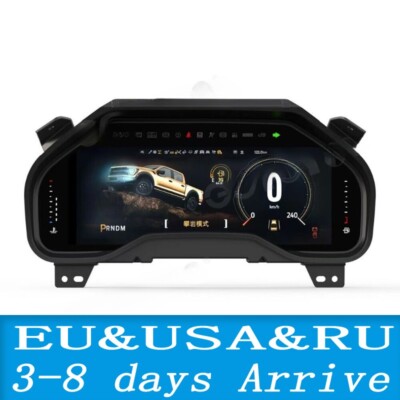
For vehicles without digital clusters, or those seeking more extensive personalization than factory options allow, aftermarket solutions provide a comprehensive pathway to custom car HMI themes. These involve replacing the entire factory gauge cluster with a modern digital screen, offering extensive digital cluster customization software.
- Dedicated Aftermarket Units: Companies like SATONIC offer dashboard screens specifically designed for popular models, such as the 2026 Tesla Model Y Juniper, with various display sizes and integration capabilities. These units often come with their own software for theme selection and display configuration.
- Universal Digital Gauges (e.g., OneGauge, Ghost Dashboard): Systems like OneGauge allow you to build custom dashboards from scratch, selecting inputs, sensors, and screen types. They connect to Android phones or tablets, enabling customization via apps like Torque Pro or RealDash for dash design and layout. Ghost Dashboard offers a universal digital automotive dashboard designed for retrofitting into nearly any vehicle, with high levels of visual interface customization including layout options, colors, and background images.
- DIY Solutions (Raspberry Pi/Arduino): For the technically inclined, platforms like Raspberry Pi or Arduino can be used to construct a custom digital dash. These projects typically involve connecting to the vehicle's CAN bus network or OBD-II port to access vehicle data, displaying it on custom screens with personalized interfaces. Projects on platforms like Hackaday.io demonstrate how to use a Raspberry Pi Zero for such purposes, enabling virtually unlimited dashboard layouts and control over displayed information.
Safety Warning: Installing aftermarket digital clusters can be complex, often requiring significant electrical and mechanical work. Professional installation is highly recommended to ensure correct wiring, proper integration with vehicle systems, and to avoid compromising safety features like airbags.
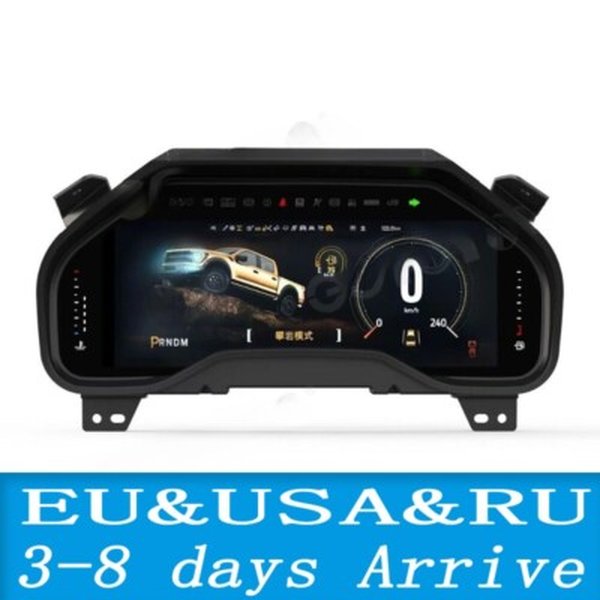
Aftermarket digital clusters can bring modern aesthetics and customization to older vehicles.
OBD-II Display Apps: Custom Dashboards Without Hardware Changes
For drivers seeking customization without modifying their vehicle's built-in systems, OBD-II (On-Board Diagnostics II) based display apps offer an excellent and versatile solution. These apps can add a custom digital dashboard to almost any car manufactured after 1996 (when OBD-II became standard in the U.S. market) by connecting to an OBD-II port via a Bluetooth adapter. They then transmit real-time vehicle data to a smartphone, tablet, or a dedicated secondary screen mounted in your car.
Functionality: OBD-II display apps can show a wide array of parameters, including speed, RPM, coolant temperature, fuel economy, engine load, and even diagnostic trouble codes. This transforms a mobile device into a powerful diagnostic and display tool.
Customization: Many apps allow you to create custom dashboards with various gauge styles, layouts, and themes. You can arrange gauges, graphs, and digital readouts to your preference. Apps like "Car Dashboard Pro" (available on Amazon Appstore) offer customizable shortcuts and speedometer functions. Torque Pro (Android) and RealDash are popular choices, alongside various CarPlay-style dashboard apps for iOS.
Consideration: While highly convenient and cost-effective, OBD-II apps require a separate device and a secure mounting solution. It's crucial to ensure the secondary screen does not obstruct your view of the road or primary controls.
Using a smartphone or tablet with an OBD-II app provides flexible dashboard customization.
Safety First: Navigating Dashboard Modifications Responsibly
When undertaking any form of car instrument cluster personalization, safety must always be your paramount concern. Modifications that impede driver visibility or introduce distractions can be extremely hazardous and may contravene local traffic laws. The National Highway Traffic Safety Administration (NHTSA) provides guidelines on in-vehicle electronic device use that should inform your customization choices.
- Visibility: Ensure that any new displays, themes, or added elements do not obstruct your view of the road, mirrors, or vital warning lights on your primary instrument cluster. Factory warning lights (e.g., airbag, ABS, check engine) must always remain clearly visible.
- Distraction: Avoid overly complex, flashy, or dynamic themes, especially those with animations or excessive motion, that could divert your attention from driving. The primary role of the dashboard is to deliver essential driving information clearly and quickly. Configure detailed pages or complex layouts for use only when the vehicle is safely parked.
- Legibility: Use high-contrast colors and large, clear fonts to ensure information is easily readable in varying lighting conditions (daylight, night, overcast). Implement auto-dimming and dark themes for night driving to reduce glare and eye strain.
- Functionality: Customizations should not interfere with critical vehicle functions, safety systems (like airbags), or operational controls. For complex hardware modifications, always verify U.S. road legality and ensure that crucial wiring, especially for ADAS (Advanced Driver-Assistance Systems), remains unaffected.
- Legal Compliance: U.S. states have diverse regulations concerning in-car displays and modifications. Generally, screens capable of displaying video while the vehicle is in motion (other than navigation displays) are restricted if they are within the driver's direct line of sight. Always ensure your customized setup adheres to all local and state regulations to avoid fines or other legal repercussions.
- Warranty & Insurance: Using manufacturer-approved theme stores and apps typically won't void your warranty. However, aftermarket hardware modifications or software changes that involve "rooting" or "jailbreaking" systems might affect warranty coverage for related components. It's wise to prefer non-invasive add-ons and consult your dealership or insurer if you have concerns.
"The biggest automotive trend I spotted at CES 2026 was every major car manufacturer going all in on their vehicle’s infotainment systems. While this offers incredible customization potential, drivers must prioritize safety and avoid distractions." - The Manual, CES 2026 Report.
Future Trends in Car Dashboard Customization: A Look Ahead to 2026
As we advance into 2026, the evolution of car dashboard customization software continues unabated. Infotainment systems are becoming increasingly sophisticated, allowing for deeper integration of personal preferences. Expect to see more AI-driven interfaces that learn driver habits and proactively adjust display settings based on driving conditions, route, and even time of day. The ecosystem of downloadable themes and widgets, available directly from car manufacturers or curated app stores within the vehicle's operating system, will also continue to expand.
The goal is to render the in-car experience as personalized and intuitive as our smartphones, all while strictly adhering to rigorous safety standards. We anticipate richer, more interactive custom car HMI themes that blend aesthetics with practicality, making the digital dashboard a truly dynamic extension of the driver's preferences.
Frequently Asked Questions (FAQ) About Car Dashboard Customization
Conclusion: Your Personalized Journey Awaits
The ability to personalize your car's dashboard is more accessible and sophisticated than ever before. Whether through native manufacturer options, advanced Android Automotive apps, or innovative aftermarket solutions, drivers in the U.S. have a wealth of choices to tailor their vehicle's interior to their personal style and preferences. While the journey to a customized digital dash is exciting, remember that safety, legibility, and adherence to traffic laws must always be the guiding principles. By making informed choices, you can enhance your driving experience and truly make your car's dashboard an extension of yourself.
Recommended Further Reading
- How to Update Tesla Software Without Wi-Fi
- Common Causes of Infotainment System Freezing and How to Fix