

Transform your smartphone into a powerful automotive tool for customization and diagnostics.
Highlights of Car Coding Apps in 2026
- Brand-Specific Excellence: BimmerCode remains the top choice for BMW/MINI, while OBDeleven dominates for Volkswagen Group vehicles, offering deep, tailored customization.
- Versatile Multi-Brand Solutions: Carista provides broad compatibility and flexible subscription options, making it ideal for households with diverse vehicle brands in the US.
- Smart Diagnostics & Monitoring: Apps like Car Scanner ELM OBD2 and Torque Pro excel at real-time data, fault code reading, and customizable dashboards for all OBD2-compliant cars.
Are you looking to unlock hidden features, diagnose issues, or customize your vehicle without a costly trip to the dealership? The market for best car coding apps has exploded, offering powerful tools for DIY enthusiasts in the US. This guide will help you navigate the best OBD2 apps 2026 for car coding and customization, focusing on popular choices like BimmerCode and Carista, and empowering you to take control of your vehicle's electronic systems.
Modern vehicles are increasingly complex, often described as "smartphones on wheels" with sophisticated software controlling nearly every function. Fortunately, mobile applications combined with an OBD2 adapter allow you to tap into this complexity, offering significant savings and personalization opportunities. Whether you drive a BMW, Volkswagen, Audi, Toyota, Ford, or Honda, there's a specialized app to help you make the most of your car's capabilities.
Navigating the Digital Garage: Top Car Coding Apps Compared
Before diving into detailed reviews, here's a quick overview of some of the leading OBD2 apps for car coding and customization available today, catering to various car brands and user needs:
| App Name | Best For | Platform | Price Model | Primary Car Brand Focus | Compatible Adapters (Examples) |
|---|---|---|---|---|---|
| BimmerCode | BMW/MINI/Toyota Supra owners seeking safe, guided coding | iOS, Android | One-time app purchase (~$30-40 USD) | BMW, MINI, Toyota Supra | OBDLink CX, Veepeak OBDCheck BLE+, UniCarScan |
| Carista | Quick customizations, brand-specific diagnostics, and service tools for multiple brands | iOS, Android | Subscription (flexible: weekly/annual, ~$10-50 USD) | VW, Audi, BMW, Toyota, Lexus, Mini, Subaru, Scion, SEAT, Skoda | Carista EVO, generic ELM327 (Bluetooth/Wi-Fi) |
| OBDeleven | Volkswagen Group (VW, Audi, Skoda, SEAT) coding with "One-Click Apps" | iOS, Android | Freemium + credits; Pro/Ultimate plans (Adapter ~$99+) | VW, Audi, Skoda, SEAT; expanding BMW/Toyota | OBDeleven NextGen (proprietary) |
| Car Scanner ELM OBD2 | Affordable diagnostics, live data monitoring, and custom dashboards | iOS, Android | Free with in-app purchases; low-cost Pro unlock (~$5-10 USD) | All OBD2 compliant vehicles (extended PIDs for many brands) | Any ELM327-based Bluetooth/Wi-Fi adapter |
| Torque Pro | Android users desiring extensive live data monitoring, performance tracking, and basic diagnostics | Android Only | One-time paid app purchase (~$5 USD) | All OBD2 compliant vehicles | Almost any generic Bluetooth ELM327 adapter |
Important Note: Compatibility and available features can vary significantly based on your car's specific year, make, and model. Always check the app's official website or within the app itself for the most up-to-date compatibility information for your vehicle.
Deep Dive: Best Car Coding Apps for Android and iPhone in 2026
BimmerCode Review 2026: The Ultimate BMW & MINI Specialist
For owners of BMW, MINI, and even the Toyota Supra (which shares BMW platforms), BimmerCode stands out as the premier coding app. It offers a streamlined, menu-driven interface, making complex ECU coding accessible to everyday users. Unlike many other apps, BimmerCode typically operates on a one-time purchase model for full functionality, offering transparent pricing without recurring annual subscriptions, which is a major draw for US car enthusiasts.
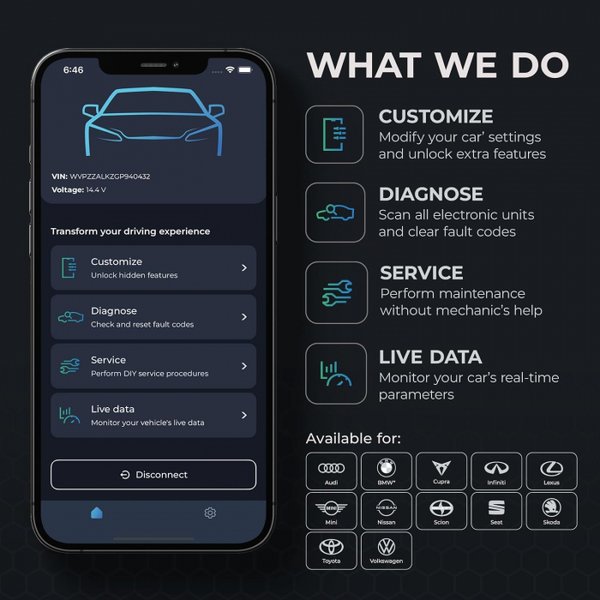
BimmerCode's intuitive interface making BMW coding accessible.
Why BimmerCode Excels for BMW Owners:
- Extensive Customization: Code hidden features like video-in-motion, ambient lighting colors, mirror dip in reverse, start/stop memory, and digital speedometer display.
- User-Friendly Interface: A clean, intuitive design with clear descriptions guides users through the coding process, even for beginners. Expert mode is available for advanced users.
- Reliable & Safe: Creates backups of original coding settings, allowing you to revert changes if needed. Regular updates add new vehicle support and features.
- One-Time Purchase: No subscription fees, offering long-term value.
Considerations for BimmerCode:
- Brand Specific: Limited to BMW, MINI, and Toyota Supra. If you own other car brands, you'll need a different solution.
- Adapter Dependent: Requires a compatible OBD2 adapter such as OBDLink CX, Veepeak OBDCheck BLE+, or UniCarScan.
Best Use Case: US BMW/MINI owners who want comprehensive coding capabilities without subscription fees and prefer a user-friendly experience.
Carista App Review: Versatile Diagnostics and Customization for Multiple Brands
Carista is a popular choice for a broader range of vehicles, including many popular US market brands like Audi, BMW, Toyota, VW, Lexus, and Subaru. It functions as an all-in-one solution for basic diagnostics, clearing fault codes, performing service procedures, and offering various customization options. Carista often provides a flexible subscription model, including weekly options, which can be ideal for one-off coding jobs, appealing to those who don't need continuous access.
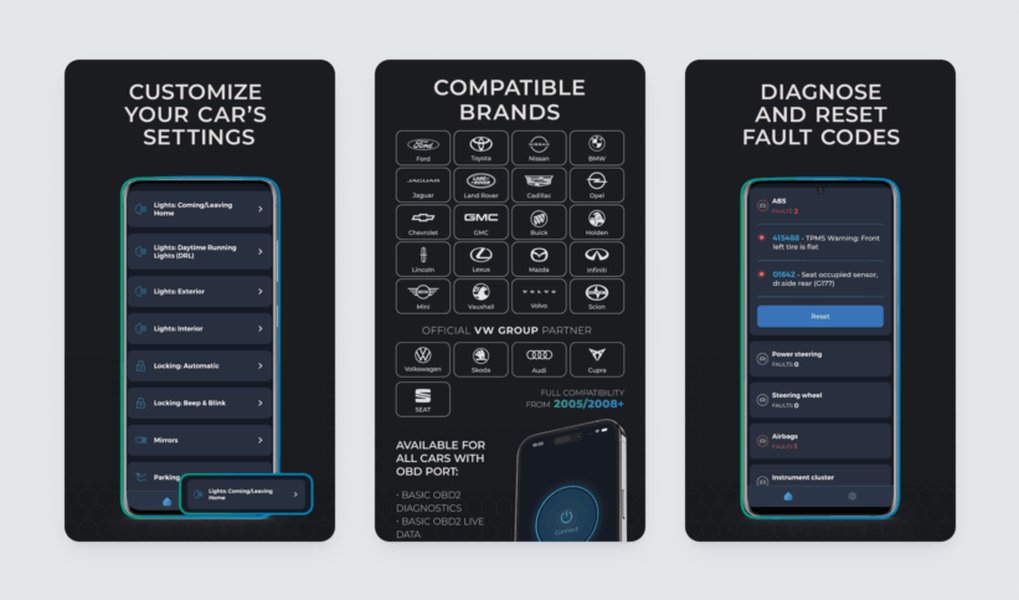
Carista's comprehensive features for diagnostics and customization.
Why Carista is a Strong Multi-Brand Contender:
- Broad Vehicle Compatibility: Works with over 30 brands, making it excellent for households with multiple car brands.
- Comprehensive Features: Customize lighting behaviors, door locks, instrument cluster settings, perform advanced diagnostics across all ECUs (ABS, airbags, transmission), and conduct service functions like DPF regeneration and battery registration.
- Flexible Pricing: Offers free basic features with in-app subscriptions for full functionality, including weekly or annual plans.
- User-Friendly: An intuitive interface with guided customization makes it accessible for beginners.
Considerations for Carista:
- Subscription Model: Full features require a subscription, which might not suit everyone's budget for long-term use.
- Varying Depth: Coding depth can vary by vehicle brand and model; some cars may have fewer customization options compared to brand-specific apps.
Best Use Case: Owners of various car brands in the US seeking an easy-to-use tool for diagnostics, service resets, and enabling some hidden features, especially for occasional use.
OBDeleven: The VAG Group's Premier Coding and Diagnostic Tool
If you drive a Volkswagen, Audi, Skoda, or SEAT, OBDeleven is often considered the closest equivalent to dealer-level diagnostics and coding. It's renowned for its "One-Click Apps" that allow users to activate, deactivate, or adjust car features with ease, as well as offering more advanced "Long Coding" capabilities for deeper customization. OBDeleven has also expanded its support to include some BMW and Toyota models as of 2026.
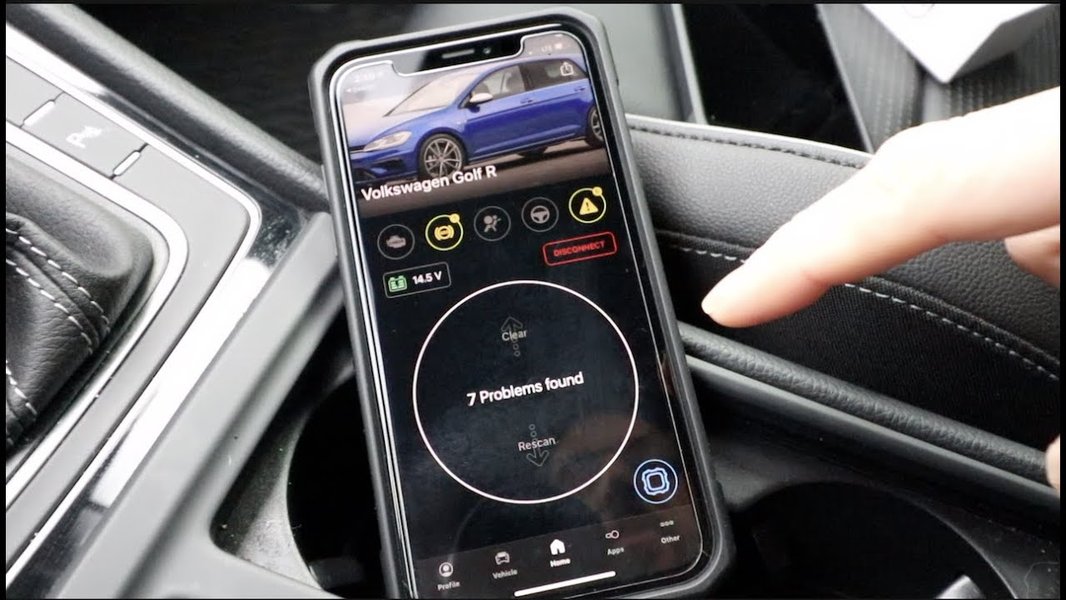
OBDeleven's specialized interface for Volkswagen Group vehicles.
Why OBDeleven is Essential for VAG Owners:
- Deep VAG Integration: Provides extensive coding options for Volkswagen Group vehicles, mirroring dealership tools.
- "One-Click Apps": Simplifies complex coding into easy-to-use functions (e.g., needle sweep, video-in-motion, lighting adjustments).
- Advanced Capabilities: Offers professional mode for manual coding and comprehensive diagnostics with live data streaming.
- Expanding Support: Growing compatibility with BMW and Toyota models, making it more versatile.
Considerations for OBDeleven:
- Proprietary Adapter: Requires OBDeleven's own NextGen adapter, which is an additional cost.
- Credit System: Access to premium features often involves a credit system or an "Ultimate" plan, which can add up for frequent users.
Best Use Case: Volkswagen, Audi, Skoda, and SEAT owners in the US who want dealership-level coding and diagnostic capabilities, including unlocking manufacturer-hidden features.
Car Scanner ELM OBD2: The Budget-Friendly Diagnostic Powerhouse
Car Scanner ELM OBD2 offers a robust solution for both iOS and Android users, providing extensive diagnostic capabilities, live data monitoring, and a highly customizable dashboard. It's often recommended as a solid alternative for iPhone users who can't use Torque Pro, or for anyone looking for a comprehensive free option with an affordable premium upgrade. While its coding features might not be as deep as brand-specific apps, it's excellent for general OBD2 diagnostics and some vehicle-specific data.
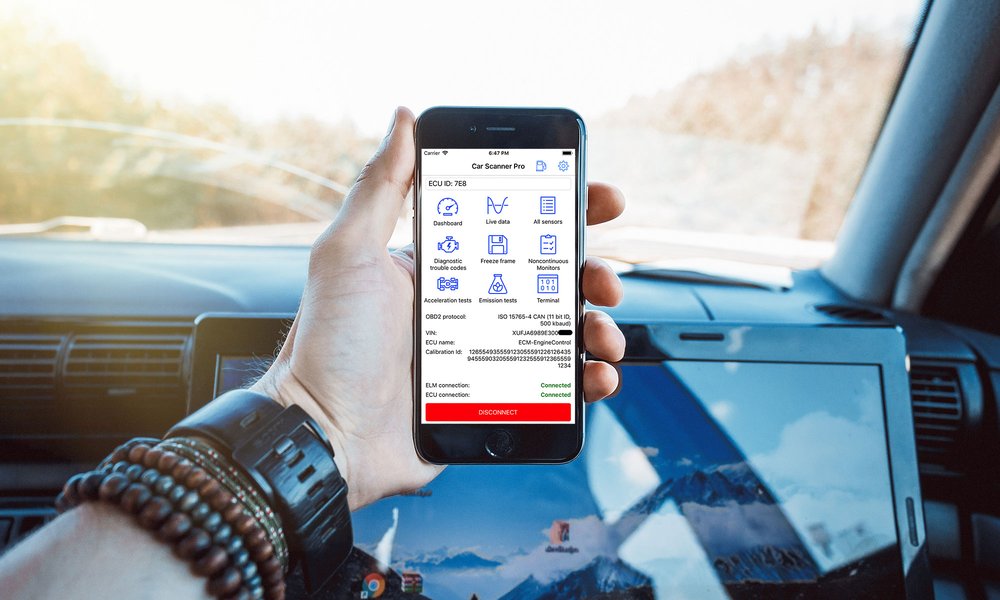
Car Scanner ELM OBD2's customizable dashboard for real-time data.
Strengths of Car Scanner ELM OBD2:
- Comprehensive Diagnostics: Reads and clears a wide range of fault codes, offering detailed explanations.
- Live Data & Customization: Highly customizable dashboard with gauges, charts, and graphs for real-time sensor monitoring. Supports extended PIDs for many brands.
- Cross-Platform: Available on both iOS and Android.
- Affordable: Free basic version with a low-cost one-time upgrade for premium features.
Considerations for Car Scanner ELM OBD2:
- Limited Coding: Primarily a diagnostic and monitoring tool; its coding capabilities are basic compared to specialized apps.
- Interface Learning Curve: Can be overwhelming for complete beginners due to the vast amount of data and customization options.
Best Use Case: Users on both platforms looking for a comprehensive diagnostic tool with excellent live data monitoring and some basic customization options, prioritizing value and versatility.
Torque Pro: The Android Veteran for Diagnostics and Performance
Torque Pro has been a long-standing favorite for Android users seeking robust diagnostic capabilities, real-time data monitoring, and performance tracking. While it excels at displaying engine parameters and reading/clearing generic fault codes, its coding and customization features are generally limited compared to more specialized apps. However, its customizable dashboard and extensive support for custom PIDs make it an excellent tool for understanding your car's behavior.
Torque Pro's customizable dashboard for real-time vehicle data on Android.
Why Torque Pro is an Android Favorite:
- Extensive Monitoring: Provides comprehensive real-time data monitoring, including engine parameters and performance metrics.
- Highly Customizable: Offers a fully customizable dashboard with numerous gauge options and support for custom PIDs.
- Affordable & One-Time Purchase: A one-time paid app purchase makes it a great value for Android users.
- Wide Adapter Support: Works with almost any generic Bluetooth ELM327 adapter.
Considerations for Torque Pro:
- Android Only: Not available for iOS devices.
- Limited Coding: Its primary strength is diagnostics and monitoring, not advanced ECU coding.
- Dated Interface: The user interface might feel less modern compared to newer apps.
Best Use Case: Android users in the US who want extensive data monitoring, performance tracking, and the ability to diagnose generic check engine light issues across various OBD2 compliant vehicles, with a strong community backing.
Beyond the Basics: What is Car Coding and Why Do It?
Car coding refers to changing predefined software options within a vehicle’s existing firmware. Your car's Electronic Control Units (ECUs) come from the factory with specific settings, some of which are region-locked or simply disabled by default. By "coding" these ECUs, you can:
- Enable Hidden Features: Activate functionalities that are present in your car's hardware but disabled by software (e.g., Apple CarPlay/Android Auto, video in motion, needle sweep, cornering lights).
- Customize Behavior: Adjust how certain features operate (e.g., changing turn signal blink count, adjusting seat belt warnings, configuring automatic mirror folding).
- Personalize Aesthetics: Alter ambient lighting colors, display themes, or startup animations.
- Perform Service Functions: Reset service lights, register new batteries, perform DPF regenerations, or electronic parking brake service.
- Diagnose Issues: Read and clear diagnostic trouble codes (DTCs) that trigger your check engine light, providing plain English explanations of the problem, potentially saving you a trip to an American dealership where costs can be high.

Visualizing the myriad benefits of car coding and customization.
Choosing the Right OBD2 Adapter for Your Car Coding Apps
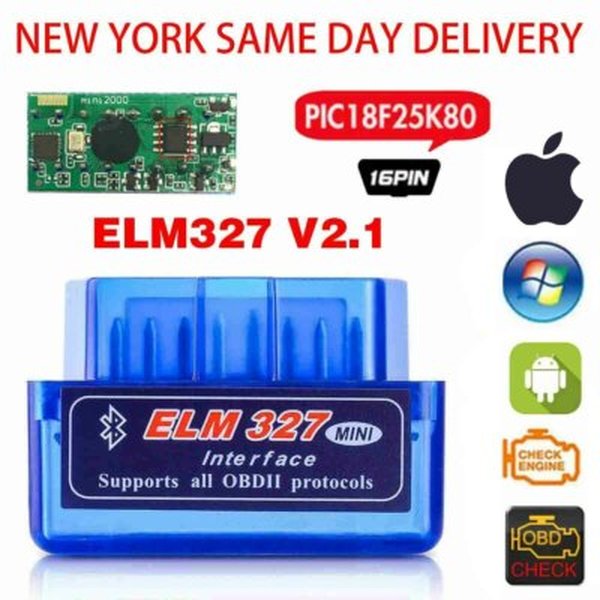
To use any of these car coding apps for Android and iPhone, you'll need an OBD2 adapter. This small device plugs into your car's OBD2 port (usually located under the dashboard on the driver's side) and communicates with your smartphone via Bluetooth or Wi-Fi. While many apps support generic ELM327 adapters, some specialized apps like OBDeleven require their own proprietary hardware for full functionality.
Types of OBD2 Adapters:
- Bluetooth ELM327 Adapters: Affordable and widely compatible, especially with Android devices. Bluetooth Low Energy (BLE) models offer better compatibility with iPhones. Examples include Veepeak OBDCheck BLE+.
- Wi-Fi ELM327 Adapters: Can be faster but might prevent your phone from accessing the internet simultaneously on some setups.
- Proprietary Adapters: Required by some apps (e.g., OBDeleven's NextGen adapter, Carista EVO) to unlock their full potential and ensure secure, stable communication with specific car brands. These often offer enhanced performance and reliability.
Pro Tip: Avoid ultra-cheap $10 OBD2 adapters from unknown brands. They often have connectivity issues, slow response times, and may not support manufacturer-specific protocols needed for reliable coding and advanced diagnostics. Investing in a quality adapter like the OBDLink MX+ (which offers fast throughput and broad app support for both iPhone and Android) is crucial for a smooth and safe coding experience.
Warnings and Risks of ECU Coding
While OBD2 customization apps make personalizing your vehicle more accessible, there are inherent risks that every user, especially in the US, should be aware of. Improper coding can lead to system errors, malfunction of vehicle components, or even permanent damage to ECUs.
Key Risks to Consider:
- Voiding Warranty: Dealerships can detect modifications, potentially voiding parts of your vehicle's warranty. While US law (Magnuson-Moss Warranty Act) requires them to prove the modification caused a failure, it's always safer to revert changes before service.
- ECU Damage: Incorrect parameters or interruptions during coding can corrupt an ECU, leading to significant repair costs.
- Safety Implications: Modifying critical safety features (e.g., airbags, braking systems) can have severe consequences for vehicle operation and passenger safety.
- Legal Compliance: Some modifications might not comply with state vehicle regulations or insurance requirements in the US.
Best Practices for Safe Coding:
- Backup Your Settings: ALWAYS backup your original ECU settings before making any changes. Most reputable apps offer this function.
- Stable Connection: Ensure your adapter has a stable connection to your car and phone. Keep the vehicle's ignition on, and consider a battery charger if coding multiple modules to maintain stable voltage.
- One Change at a Time: Make simple, well-documented changes one by one, testing after each modification.
- Know Your Limits: If unsure, consult reputable forums or professionals. Avoid modifying safety-critical systems unless you are fully confident in your understanding.
Buying Guide: How to Select the Best Car Coding App for You
With so many options, finding the best car coding apps for Android and iPhone can feel overwhelming. Consider these factors, especially if you're in the US:
- Your Car's Make and Model: This is the most crucial factor. Some apps are brand-specific (e.g., BimmerCode for BMW), while others offer broader, but potentially less deep, compatibility. Check the app's official compatibility list for your exact vehicle. For popular US brands like Ford or Honda, research community recommendations for the best coverage.
- Desired Features: Do you only need basic diagnostics, or are you looking for advanced customization like enabling hidden features or performing service resets?
- Operating System: Are you an Android or iPhone user? Some apps are exclusive to one platform (e.g., Torque Pro for Android).
- Price Model: Do you prefer a one-time purchase (like BimmerCode) or a subscription model (like Carista)? Consider the long-term cost, especially if you plan to use the app frequently.
- Required Adapter: Does the app require a proprietary adapter, or can you use a generic ELM327? Proprietary adapters often offer better reliability and feature access but come at a higher cost.
- User Interface and Ease of Use: Look for apps with an intuitive interface, especially if you're a beginner DIYer.
- Community Support and Reviews: Active forums and positive user reviews can indicate a reliable and well-supported app.
Common Use Cases: Popular US Brands and What You Can Customize
Here's a glimpse into the types of customizations you can achieve with these apps on popular US market vehicles:
- BMW (3 Series, X5, X3): Enable start/stop memory, mirror fold on lock, adjust seatbelt chimes, DRL (Daytime Running Light) logic with BimmerCode.
- Volkswagen/Audi (Golf/GTI, Jetta, A3/A4): Activate needle sweep, comfort blinks, customize lighting profiles, and alter lock/unlock behavior using OBDeleven.
- Toyota/Lexus (Camry, RAV4, Tacoma): Modify door lock behavior, adjust lighting settings, and configure various warnings on supported trims with Carista (OBDeleven is also growing support).
- Ford (F-150, Explorer): Primarily diagnostics and live data via Car Scanner/Torque Pro/OBD Fusion; OBDeleven offers "One-Click Apps" for select US-built models.
- Honda (Civic, Accord, CR-V): Robust diagnostics and PIDs with Car Scanner/Torque Pro/OBD Fusion; however, dedicated coding options are generally more limited compared to BMW/VAG ecosystems.
Quotes from the DIY Community
"BimmerCode’s one-time pricing and clear menus make BMW coding feel safe, even for first-timers in the US."
"For VW and Audi, OBDeleven’s One-Click Apps are the closest thing to dealer tools you can get on a phone in America."
Frequently Asked Questions (FAQ)
Conclusion
The landscape of car coding apps in 2026 offers unprecedented opportunities for car owners in the US to personalize their vehicles and perform their own diagnostics. Whether you're a BMW enthusiast leveraging BimmerCode, a VAG owner with OBDeleven, or looking for a versatile tool like Carista or Car Scanner ELM OBD2, there's an app suited to your needs. Always prioritize safety, research compatibility, and understand the potential risks involved to maximize the benefits of these innovative automotive technologies.
By empowering yourself with the right tools, you can save money on American dealership fees, unlock exciting new features, and gain a deeper understanding of your vehicle. The future of car customization is in your hands – or rather, on your smartphone!
